Innovation Challenge Scoring Application
A Power Apps scoring tool that took handwriting and manual math out of an internal automation competition.
- Problem
- Judges at the company's internal automation competition scored on handwritten sheets. Coordinators had to collect them, recheck the math, and process every score by hand before announcing results.
- My Role
- UX research, UX/UI design, and app build · 1 week
- Tools
- Power Apps · Power Automate · SharePoint
- Outcome
- 75% less score-processing time, 45 minutes saved per scoring cycle, and new requests for Power Apps solutions after the event.


The Challenge
The company ran an internal automation competition. Judges, mostly managers volunteering on top of their regular work, scored each submission on paper. Afterward, a coordinator collected every sheet, checked the handwriting and the math, and compiled results before they could be announced.
How might we let judges score quickly and accurately, and get results out without manual processing?
Research
I interviewed and observed eight judges and administrative users to understand the existing scoring process. Three issues surfaced:
- Hard-to-read scores. Handwritten scores could be difficult to read.
- Calculation errors. Math errors could affect final results.
- Slow score processing. Sorting and processing paper score sheets took significant time.
The real opportunity wasn't digitizing the score sheet. It was taking the math and the paperwork out of the workflow entirely.
-
Volunteer judge
Scores submitted automation projects on top of a full day of work, so scoring has to be fast and accurate.
Needs to
- Score every submission quickly and accurately
- Keep handwriting and math errors out of the results
- Get back to their regular work without a long process
Pain points today
- Handwritten sheets are easy to misread
- Doing the math by hand risks errors
- Paper feels slow during a fast-paced event
What the design gives them
- Slider scoring, with no handwriting
- No math to do: the app adds up the scores behind the scenes
-
Program coordinator
Collects, checks, and finalizes every judge's scores, and is under pressure to announce results the same day.
Needs to
- Get final scores without collecting paper
- Trust the totals without rechecking the math
- Announce results soon after judging ends
Pain points today
- Collecting sheets from every judge takes time
- Rechecking handwritten math for errors
- Sorting and processing sheets delays results
What the design gives them
- Scores land in a SharePoint list as they're submitted
- No totals to recheck
Composite personas based on interviews and observation with eight judges and administrative users.
User journey
-
Stage 1: Scoring a submission
Evaluating each project on paper.
Actions
The judge fills out a handwritten sheet for each submission.
Touchpoints
Paper scoring sheet
Feelings
Judge: rushed
Roadblocks
Handwritten scores can be hard to read.
Opportunities
Digital scoring controls remove handwriting.
-
Stage 2: Submitting the score
Totaling and handing in the sheet.
Actions
The judge adds up the totals and hands the sheet in.
Touchpoints
In-person handoff
Feelings
Judge: uncertain
Roadblocks
Doing the math by hand risks errors.
Opportunities
Scores are submitted directly, and the app adds them up behind the scenes.
-
Stage 3: Processing results
Collecting, checking, and announcing.
Actions
The coordinator collects every sheet and rechecks the math.
Touchpoints
A stack of paper sheets
Feelings
Coordinator: under pressure
Roadblocks
Sorting and processing sheets takes significant time.
Opportunities
Scores are in SharePoint as soon as they're submitted.
Design
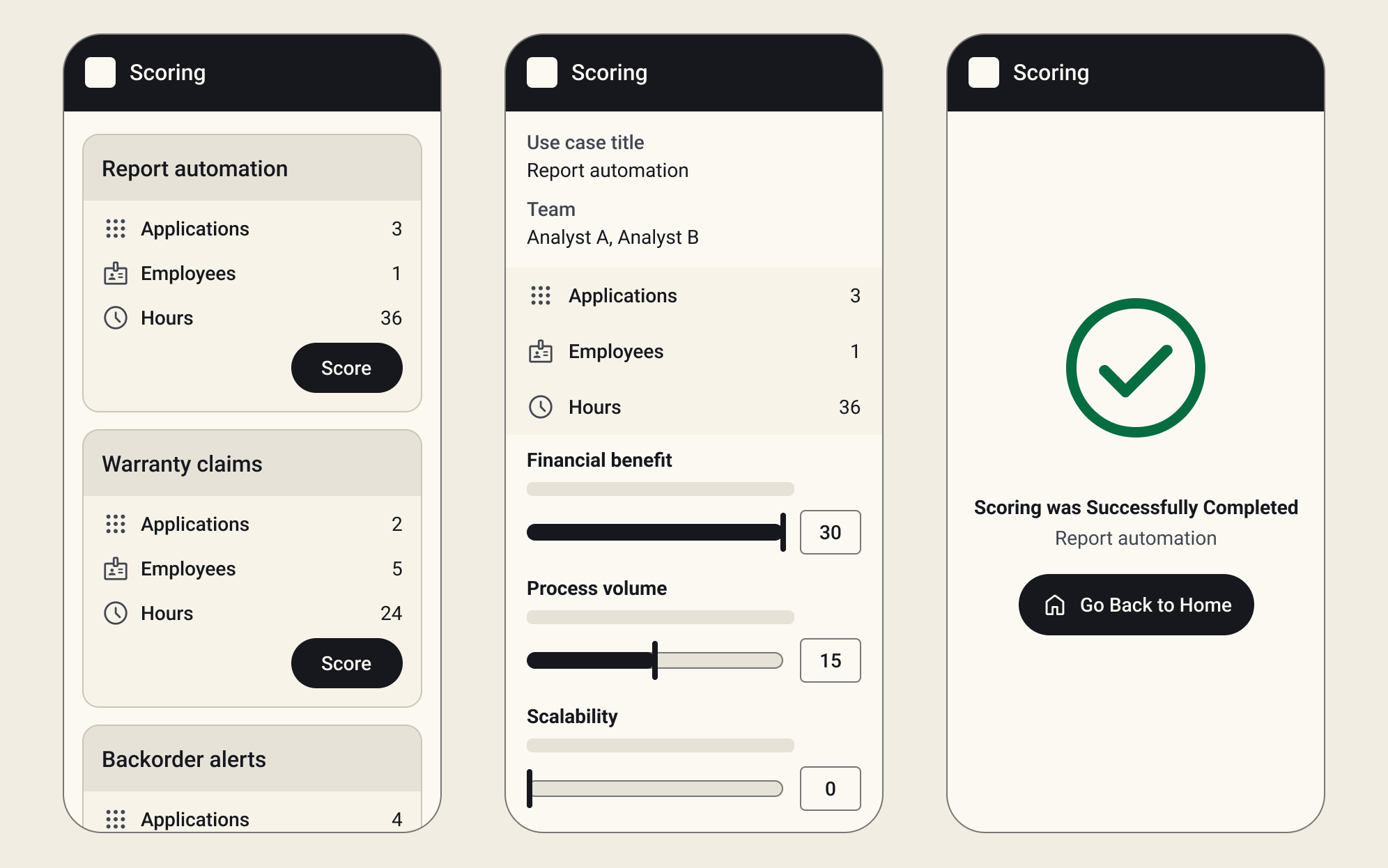
I designed a three-step flow:
- Pick a submission. Each card shows the project's applications, employees, and hours, so judges have context before scoring.
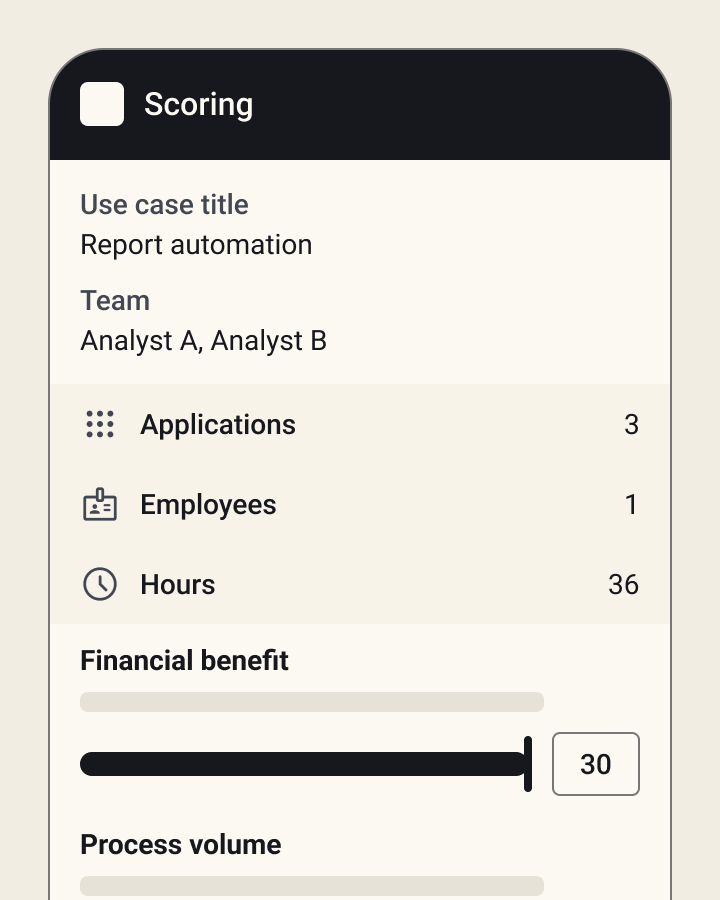
- Score with sliders. Judges rate financial benefit, process volume, and scalability, each with a short description of what it means. Behind the scenes, the app adds up the scores, so no one does the math by hand.
- Confirm. A clear success screen confirms the score was submitted.
Submitted scores went straight to a SharePoint list, so the coordinator could see results as they came in, without collecting or retyping anything.
Key decisions
- Sliders instead of number fields, so judges score faster and can't enter an invalid value.
- A definition on every scoring criterion, so judges score against the same standard.
- A clear confirmation screen, so judges never wonder whether their score went through.
See the design system, wireframes, dev handoff notes, and a clickable prototype in the Figma file.
Design Outcomes
Judges scored submissions digitally, with results available right away to compare and discuss. Removing manual math and score collection shortened the path from judging to picking a winner, so judges could finalize rankings with less effort.
The project received internal recognition and led to more requests for automation and Power Apps solutions.
75%
Reduction in score-processing time, measured against the paper process.
45 min saved
Administrative time saved per scoring cycle.
0 manual calculations
The app added up every score behind the scenes, so nobody had to recheck the math.
Learnings
- Small workflow changes can create meaningful operational improvements.
- The biggest value didn't come from making a paper form digital. It came from finding the work the system could do for people (calculations, totals, and processing), so they could focus on the decisions that actually needed them.
Let's talk
Hiring a Senior UX / Product Designer?
I'm open to remote Senior UX / Product Designer roles, full-time or contract. Bring me the workflow everyone complains about. I'll bring the questions, the prototypes and, on a good day, a truly excellent dad joke.
simplywandee@gmail.com